Alert Global Policies (AGP)

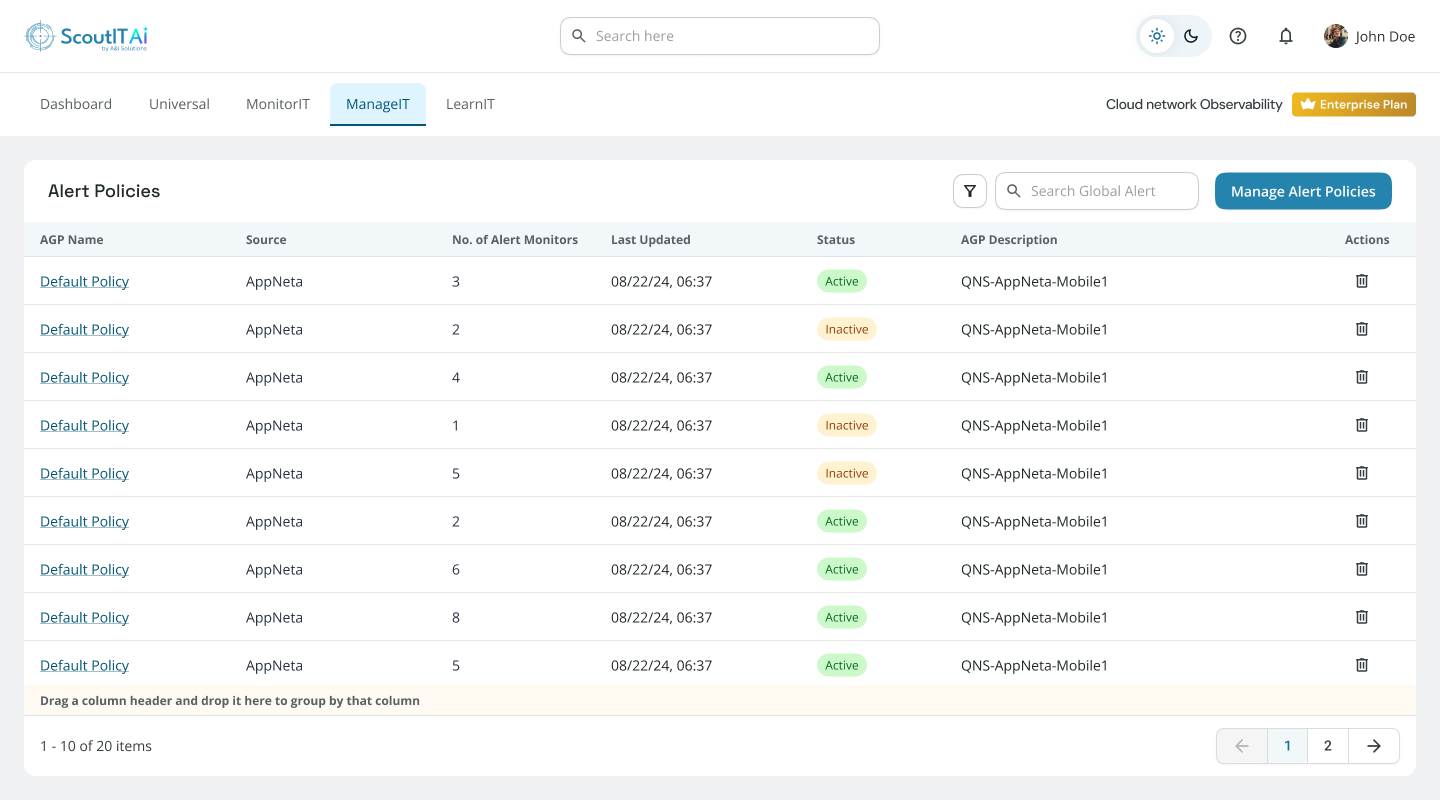
You can configure alerts from this screen.

Manage Alert Global Policies

  • All AGPs are listed here.
  • AGP can be deleted by clicking on the Trash (Delete) icon.
  • Click on an AGP name to modify AGP details.
  • To create a new AGP click the Create Alert Global Policy button.
Alert policy configuration screenshot

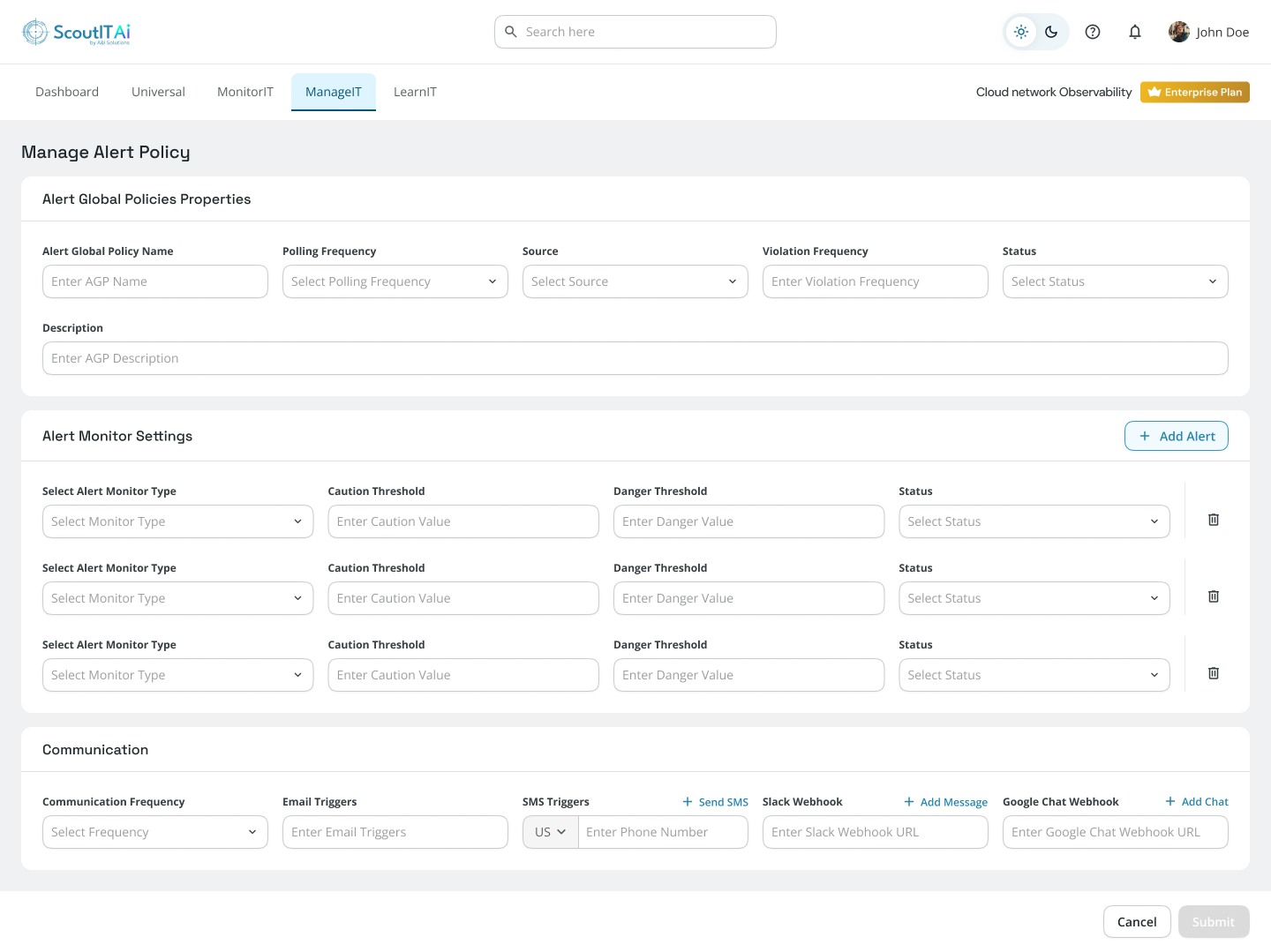
Create Alert Global Policy

  • Enter AGP Name and Description.
  • AGP should have at least one Alert Monitor Setting.
  • AGP cannot have two Alerts with the same Alert Monitor Type.
  • Click Submit after filling in all details.
  • All AGPs will be listed on the Manage Alert Global Policies screen.
Alert settings screenshot

Simplified Analytics Simplified Analytics
Fast Setup Fast Setup
Instant Savings Instant Savings
24x7 Support 24x7 Support